
Slight change to the published Blogmas schedule.
State of the Word was once again delivered by Matt Mullenwerg, co-founder of the WordPress project. Here is my recap.
Key points from 2021 State of the Word
Media assets
People ask me if they need a licence to use photos and other media on their site. Others don’t have the budget to spend on good quality images. Well now I have another option for you to choose from called Openverse and it is open-sourced.
Openverse is an openly licensed media. Search for an image, download and put it on your site. Give attribution to the creator and that’s it.
Openverse, WordPress.org
Openverse was originally Creative Commons before it was taken on by WordPress.org. Over 600 million licensed images are already available and 2 million audio clips will be added soon. Check it out today, visit the Openverse site.
Pattern directory
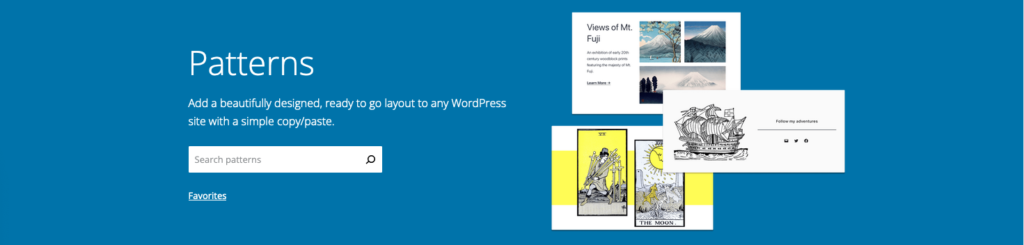
Instead of creating a layout for your page or post from scratch, you can select one from the Pattern Directory. This makes it easy to set up your site, you can even copy and paste patterns that you like. I’m excited to see the different patterns that designers will be creating and sharing. Want to learn more about Block Patterns? Check out the following video workshops on Learn WordPress:
Learn WordPress
We got some stats for the Learn WordPress platform. I often refer clients to Learn WordPress workshops if they want to know how to do something on their own. The Training team is working hard on bringing you more content so keep an eye on updates that come up in the News section of your WordPress Admin Dashboard.
Other areas worth noting
- Security – you can rest assured that a lot of investment has gone into updating WordPress. This is ongoing and WordPress.org will continue to work in partnerships with hosting providers and content delivery networks to protect your WordPress sites.
- Block widgets in the sidebar – you can now manage the widgets in your sidebar using blocks. This allows you to customise your site even more. Check out using the Block Widget Editor if you want to know more.
- Query loop block – I love this block because I can define the parameters I want to use to display my posts without knowing any code. You can use it for any custom post type like your portfolio of work or list of books you’ve published. There is a great article with videos on the query loop block written by the WordPress.org Support team.
WordPress 5.9 and customisation
There are some interesting features coming to 5.9 and a lot of them are to do with customisation. Changing your theme just became much easier, you can customise:
- The header and footer
- Theme preset visual elements on your site using Styles
- Use the Pattern Library to create different layouts for your site all without changing your theme.
Think about all the changes you can make on your own without changing themes or using even more plugins.
Another thing he mentioned that I’m super excited about is being able to drag and drop items in the List view. I love using the List view cause I can see exactly where my block elements (paragraph, heading, quotes) are within a post or page.

Looking forward to the future
You might have noticed that there have been a lot of acquisitions with the WordPress ecosystem. If you’re interested in macroeconomic trends, Matt breaks some of this down for you.
Gutenberg
Matt talked a lot about the evolution of Gutenberg. He reminded us of the 4 phases that he had introduced a few years ago:
- Phase 1 – Easier editing, this introduced the Block editor and was completed in 2018.
- Phase 2 – Customisation, we are currently in the middle of this phase which started in 2019. WordPress 5.9 will see the MVP (minimal viable product) of this phase.
- Phase 3 – Collaboration, this will start in 2023 as more themes, patterns and blocks are added to the directory.
- Phase 4 – Multilingual, WordPress is published in multiple languages but there is still a long way to go. Afterall, WordPress is used globally!
Photo directory
Open-source imagery that can be used on any site and will be built into the Media Library. You can also contribute your photos to the Photo Directory.
Final notes
I’m really excited about the customisation of the Block Editor and developments to Learn WordPress coming in 2022. I’ve given you a small snippet of what was covered at State of the Word. If you want to learn more including the updates on translating WordPress into different languages watch the replay below.
